Best Smart Tips Software for Astro
Join 2,200+ companies using Produktly to create exceptional smart tips that provide context-aware help right where it is needed most on Astro.




Why Produktly Smart Tips is Perfect for Astro
Onboarding for fast Astro websites. Produktly integrates easily with Astro components to provide interactive guidance.
Supercharge Your Astro Experience
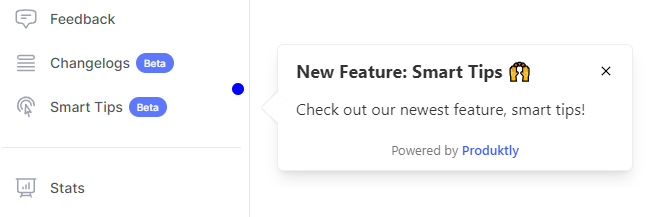
Proactively and non-intrusively guide users through your product with contextual highlights.
Non-Intrusive Guidance
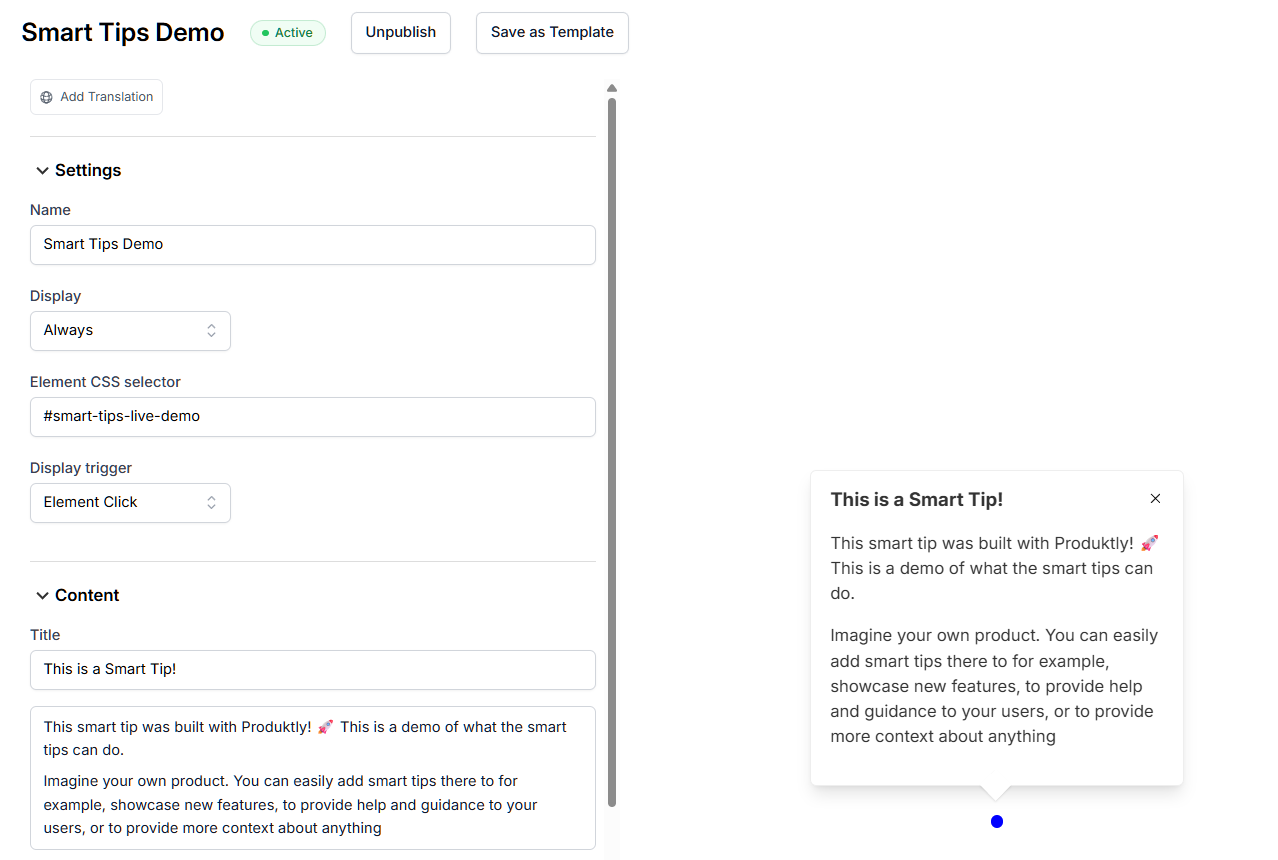
- Guide users through your app with subtle, helpful tips.
Rich Media Support
- Embed videos and GIFs directly into your smart tips.
Quick Integration
- Add smart tips to your site in less than 5 minutes.

Simple Integration with Astro
Getting started with Produktly smart tips on your Astro project is quick and easy.
How to integrate:
- 1
Get your Produktly script snippet.
- 2
Add it to your base layout component in Astro.
- 3
Open your published site or preview and use the Produktly editor.
- 4
Create and share guided tours without affecting your site performance.

Astro and in-app guidance
Astro ships zero JavaScript by default, hydrating only the islands you explicitly mark as interactive. That makes it ideal for content sites and marketing pages where you want guidance for visitors without slowing the page down. Tours load asynchronously and do not affect Lighthouse scores in any meaningful way.
Astro routes are typically multi-page (full reloads between pages) unless you opt into View Transitions or a client-side framework integration. Tour configuration depends on which model your project uses.
Installing Produktly on Astro
Add the snippet to your base layout so it loads on every page, then ship.
---
// src/layouts/Base.astro
---
<!doctype html>
<html>
  <head>
    <slot name="head" />
    <script is:inline>
      (function (w, d, f) {
        var a = d.getElementsByTagName("head")[0];
        var s = d.createElement("script");
        s.async = 1; s.src = f;
        s.setAttribute("id", "produktlyScript");
        s.dataset.clientToken = "YOUR_TOKEN";
        a.appendChild(s);
      })(window, document, "https://public.produktly.com/js/main.js");
    </script>
  </head>
  <body><slot /></body>
</html>
Use is:inline on the script so Astro doesn’t process it as a module. If you have View Transitions enabled, you may also want to register the snippet inside an astro:page-load listener.
Things to watch out for on Astro
Astro processes script tags by default
Without is:inline, Astro will bundle and treat your snippet as a module, which can prevent it from loading on every page. Add is:inline to keep it as-is.
View Transitions need extra wiring
If you enabled @astrojs/transitions, Astro does soft navigation. Wrap the snippet in document.addEventListener("astro:page-load") so it re-attaches after each transition.
Islands hydrate after the page paints
If your tour targets a React or Vue island, the element may not exist on first render. Trigger tours from user actions (clicks) rather than page load when the target is interactive.
Why teams on Astro pick Produktly
Astro teams pick Produktly because the script is async and has no measurable impact on Core Web Vitals. There’s no Astro-specific integration package to keep current, and the no-code editor works on both static pages and interactive islands without separate config.
Other Astro Guides
Product Tours
Product Tours software for Astro.
Announcements
Announcements software for Astro.
Checklists
Checklists software for Astro.
Feedback Widgets
Feedback Widgets software for Astro.
Tool Tips
Tool Tips software for Astro.
Roadmaps
Roadmaps software for Astro.
NPS Widgets
NPS Widgets software for Astro.
Micro Surveys
Micro Surveys software for Astro.
Changelogs
Changelogs software for Astro.
Similar Platforms for Smart Tips
React
Best smart tips software for your React app.
Next.js
Best smart tips software for your Next.js app.
Vue.js
Best smart tips software for your Vue.js app.
Angular
Best smart tips software for your Angular app.
Svelte
Best smart tips software for your Svelte app.
Nuxt
Best smart tips software for your Nuxt app.
Remix
Best smart tips software for your Remix app.
Gatsby
Best smart tips software for your Gatsby app.