Smart Tips
Contextual tooltips that appear right where users need them. Guide users through your product without interrupting their flow.
Live on your site in 5 minutes
Attach smart tips to any element on your page. A single script tag and you're ready to go.
Highlight features without interrupting
Unlike modals or pop-ups, smart tips sit quietly next to the relevant element. Users notice them when they need them.
Reduce support questions
Answer common questions before users even ask. A well-placed tip can prevent dozens of support tickets.
Help users without getting in their way
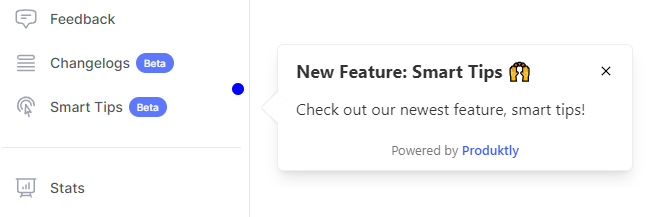
Smart tips appear next to the element they're about. Users see them in context, exactly when the information is relevant.
Contextual guidance, right where it matters
Attach tips to any element on your page. Highlight new features, explain tricky functionality, or nudge users toward key actions.
Draw attention to new features
- Just shipped something new? Attach a smart tip to highlight it. Users will notice without feeling interrupted.
Guide users in context
- Explain complex functionality right where it lives. Users get help at the exact moment they need it, not in a separate help center.

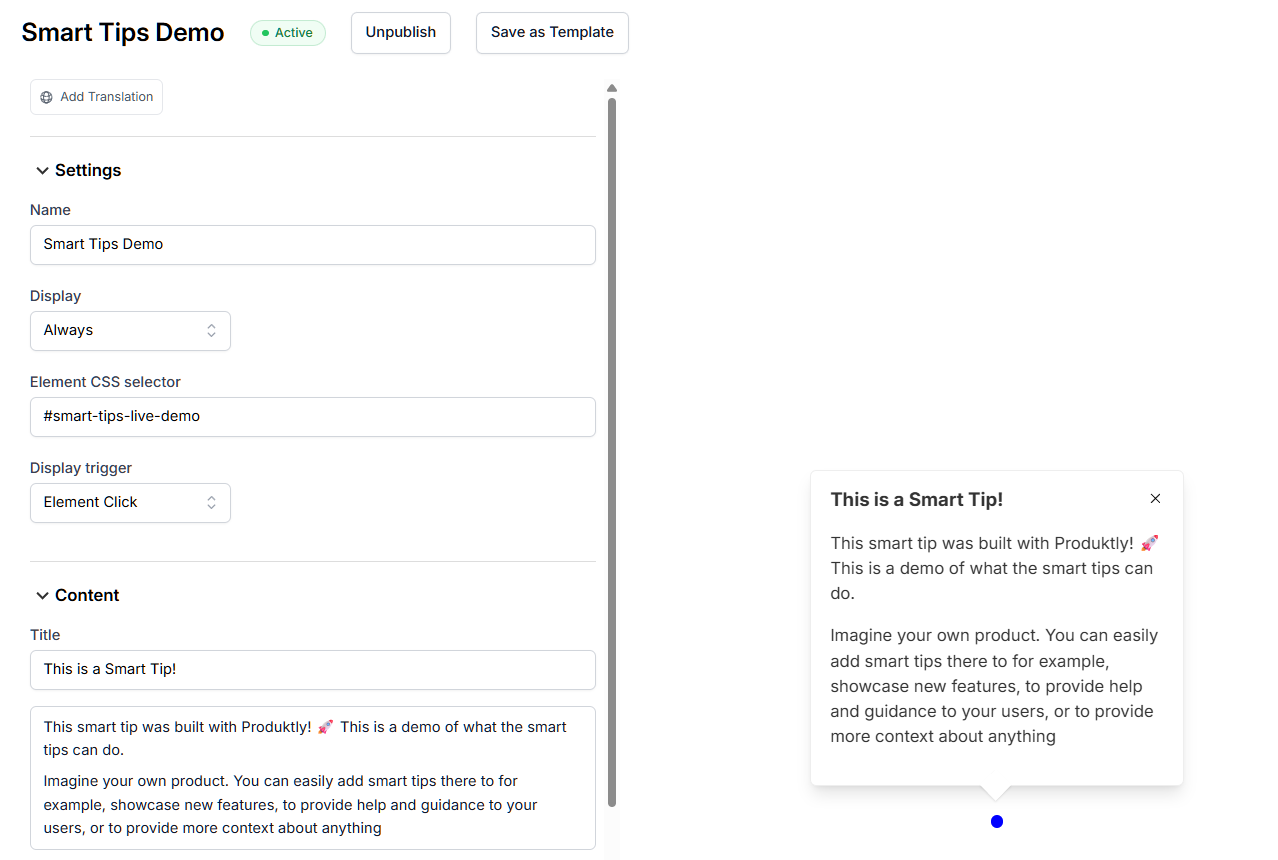
Create and place tips in minutes
Use our visual editor to write your tip, pick the target element, and go live. No code needed.
Rich text editor
- Embed videos, images, and GIFs in your smart tips. Apply any formatting you need to get your point across.
One script tag to integrate
- Copy-paste a single script tag into your site. Works with any framework, takes under 5 minutes.

Trusted by 2,530+ companies






“We've been seeing increased engagement on the areas where we use product tours. With feedback widgets we were able to eliminate one other tool and unlock cost savings.”
Jean T.
Founder, Computer Software
“The platform offers a lot of great features, yet everything is simple and intuitive to use. I truly believe this product will soon compete with the big players.”
Rafael C.
Founder, Internet
“All the nice-to-haves that our developers never found time for and that are much more expensive from other providers. Issues were resolved on the very same day.”
Rosie W.
CEO, Non-Profit
Guide users without interrupting them
Add smart tips to your product in under 5 minutes.
Plans starting at 19€/mo. 14-day free trial included.
Frequently asked questions
Explore more features
Comparing options? See our guide to the best tooltip software.