Best Product Tours Software for Wix
Join 2,200+ companies using Produktly to create exceptional product tours that simplify learning curves and increase feature adoption on Wix.



Why Produktly Product Tours is Perfect for Wix
Simple onboarding for Wix websites. Help your clients or users get the most out of your Wix-based solutions.
Supercharge Your Wix Experience
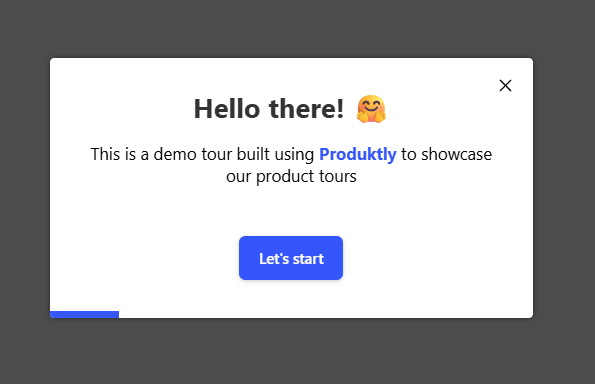
Create engaging product tours that drive adoption and retention. Guide your users through even the trickiest parts of your product.
Interactive Tours
- Highlight functionality and advance tours based on click or hover events.
No-Code Editor
- Build all your tours without writing a single line of code.
Detailed Analytics
- Understand how your tours are performing with deep insights.

Simple Integration with Wix
Getting started with Produktly product tours on your Wix project is quick and easy.
How to integrate:
- 1
Sign up for Produktly and get your script.
- 2
In Wix, go to Settings > Custom Code.
- 3
Add the script to the Head section of all pages.
- 4
Use the Produktly editor to build and publish your tours.


Wix and in-app guidance
Wix sites render through Wix’s own rendering engine, which wraps every element in Wix-generated containers and classes. Anything that targets internal CSS classes is fragile; Wix periodically rebuilds its DOM structure as the editor evolves. Custom IDs through the element’s Properties panel are the only stable targeting hook.
Wix has both classic sites (multi-page with reloads) and Wix Studio sites (which can do in-app navigation). Tour configuration depends on the variant.
Installing Produktly on Wix
Paste the snippet into Settings > Custom Code, set it to load on "All pages" and "Place Code in: Head".
<!-- Wix > Settings > Custom Code > Add Custom Code -->
<script>
  (function (w, d, f) {
    var a = d.getElementsByTagName("head")[0];
    var s = d.createElement("script");
    s.async = 1; s.src = f;
    s.setAttribute("id", "produktlyScript");
    s.dataset.clientToken = "YOUR_TOKEN";
    a.appendChild(s);
  })(window, document, "https://public.produktly.com/js/main.js");
</script>
Custom Code requires a Premium plan on classic Wix. The Free plan does not allow custom <script> tags.
Things to watch out for on Wix
Free Wix plans block custom code
You need a Premium plan to add the Produktly snippet. The Free plan removes <script> tags during publish.
Wix wraps elements in framework classes
Selectors like ".button" usually won’t work. Set a custom ID via each element’s Properties panel and target that ID instead.
Wix Studio routes can be in-app
If you’re using Wix Studio with client-side routing, enable Produktly’s SPA redirect handling so tours follow navigations.
Why teams on Wix pick Produktly
Wix teams pick Produktly because the snippet is a one-time copy-paste, no Wix App Market app to install and manage permissions for. The no-code editor matches Wix’s no-code ethos, and there’s no risk of the tool breaking when Wix ships an internal redesign.
Other Wix Guides
Announcements
Announcements software for Wix.
Checklists
Checklists software for Wix.
Feedback Widgets
Feedback Widgets software for Wix.
Smart Tips
Smart Tips software for Wix.
Tool Tips
Tool Tips software for Wix.
Roadmaps
Roadmaps software for Wix.
NPS Widgets
NPS Widgets software for Wix.
Micro Surveys
Micro Surveys software for Wix.
Changelogs
Changelogs software for Wix.
Similar Platforms for Product Tours
Webflow
Best product tours software for your Webflow app.
Framer
Best product tours software for your Framer app.
Squarespace
Best product tours software for your Squarespace app.
Carrd
Best product tours software for your Carrd app.
Weebly
Best product tours software for your Weebly app.
Duda
Best product tours software for your Duda app.
Jimdo
Best product tours software for your Jimdo app.