Best Feature Announcement Tools
By Olli, founder of Produktly · Updated 2026-10-14
Feature announcement tools tell users about something new inside your product: a popup or banner when it ships, a changelog entry they can find later, and sometimes an email. The tools split two ways. Changelog-first tools (Beamer, AnnounceKit, Frill, Featurebase, LaunchNotes, Headway) are strongest at a feed of updates with email and a public page. Onboarding tools (Userpilot, Appcues, Chameleon, Userflow) are strongest at targeted popups and tooltips that point at the new feature. Produktly covers the in-app side of both in one tool, at a flat price.
Quick comparison
| Tool | Best for | Price | Watch out for |
|---|---|---|---|
| Produktly | Web SaaS teams that want the popup, tooltip and changelog for a release in one tool | Developer €19/month (€16 yearly) with 5 announcements; Startup €59/month unlimited. Flat, not per user | No email, so users who aren't logging in won't hear about it |
| Beamer | Teams that want a dedicated announcement feed with many formats | Free up to 1,000 MAU; Starter $59/month ($49 yearly); Pro $119/month ($99 yearly) | Starter has no email or segmentation; going over your MAU limit upgrades you automatically |
| AnnounceKit | Teams that want a polished announcement feed | Changelog $59/month ($49 yearly) incl. 10,000 MAU; add-ons $29 to $49/month each | With email, custom domain and segmentation, a typical setup is about $196/month on monthly billing |
| Userpilot | Growth teams that want to measure adoption after each announcement | Starter $299/month for up to 2,000 MAU; Growth from $849/month | Event triggers and A/B tests start at $849/month |
| Appcues | Teams announcing across web, mobile, email and push | Quote-only; Spark $3,600/year plus a $250 setup fee for up to 1,000 MAU | No public prices apart from Spark, and you talk to sales before trying it |
| Chameleon | Web product teams that want precise targeting and experiments | Startup from $279/month for 2,000 MTU; Pro $750/month for 5,000 MTU | A big jump from Startup ($279) to Pro ($750), and web only |
| Userflow | Web teams that want announcements next to polished onboarding flows | Essentials $300/month ($240 yearly) with 1,000 MAU | Extra users cost from $40/month per 1,000 above the included 1,000 |
| Frill | Small teams that want announcements, feedback and a roadmap on a budget | Startup $25/month ($22 yearly); Business $49/month ($44 yearly) | Tooltips and tours aren't among its listed formats |
| Featurebase | Teams that also want a helpdesk in the same tool | Growth $29 per seat/month, billed yearly | Per seat: a 5-person team on Growth pays $145/month |
| LaunchNotes | Larger product organizations with a formal release process | Growth $249/month billed yearly; Premium custom | $2,988 a year minimum, and you talk to their team before you can try it |
| Headway | A simple update feed at no cost | Free; Pro $29/month | Looks unmaintained: its last product update was posted in June 2023 |
Prices from each vendor's own pricing page, checked Oct 14, 2026.
A launch needs a push, a record and a pointer
Our usage data shows why one announcement format is never enough. In-app announcements are seen fast: the median announcement got 43% of all its impressions in its first 48 hours. Changelog posts are read slowly, as people come back to the product: 20% of their first-two-week reads in 48 hours and 54% in the first 7 days. So a release that matters needs both, plus something for the people who find the feature on their own.
- The push: a popup for the users the feature matters to, a top bar or banner for everyone, or an email for people who are not logging in this week.
- The record: a changelog entry in an in-app feed with an unread badge, and on a public page for prospects and search engines.
- The pointer: a tooltip on the new button, or a short tour if the feature takes more than one step.
43%of an in-app announcement's impressions arrive in its first 48 hours. A changelog post gets only 20% of its early reads in that time.
Produktly usage data: 159 announcements across 44 companies and 210 changelog posts across 35 companies, January to June 2026. See the benchmark data
Not every "announcement tool" announces inside your product
Two other kinds of tool show up when you search for this. Internal communication tools announce things to employees, through an intranet or Slack, and are a different category. Interactive demo tools such as Arcade, Supademo and Guideflow make clickable walkthroughs of a feature for a launch email, a blog post or a sales page; they work well next to an in-app announcement, but they don't show anything inside your product. This page covers tools that do.
What to compare
- Which jobs it covers. Changelog-first tools are strongest at the feed, email and public page; Beamer also does popups and banners, and AnnounceKit sells in-app notifications as a module. Onboarding tools are strongest at targeted popups, tooltips and tours, and a changelog feed isn't their focus. Produktly has announcements, tooltips, tours and a changelog, but no email.
- Targeting on the cheapest plan. Showing an announcement only to the users it concerns matters more than the format. Frill includes segments on every plan. Beamer starts segmentation at Pro, AnnounceKit sells it as an add-on, and Userpilot keeps event triggers for Growth.
- Email. Frill, Featurebase, LaunchNotes, Appcues and Userpilot Growth send email. Beamer adds it on Pro and AnnounceKit as an add-on. Produktly doesn't send email, and Headway's site doesn't mention it.
- How the price grows. Beamer and AnnounceKit price by monthly active users, the onboarding tools by active or tracked users, and Featurebase per seat. Frill, Headway and Produktly are flat.
The tools, in detail
Produktly
Pick Produktly if you want to announce a release everywhere it should appear inside your product, from one tool: a popup or top bar for the users it matters to, a tooltip on the new button, a tour if it needs explaining, and a changelog entry with an unread badge for everyone else.
It's priced flat, with every feature on every plan: €19/month on Developer, or €59/month on Startup for unlimited announcements. A changelog-first setup with email and segmentation costs $119/month at Beamer or about $196/month at AnnounceKit on monthly billing, and onboarding tools priced by users start at $249 to $299/month.
Announcements show as a top bar, floating bar, popup or toast, targeted by page, user attributes, language and device, and scheduled with date rules. You can show the next message only to users who saw or clicked the last one.
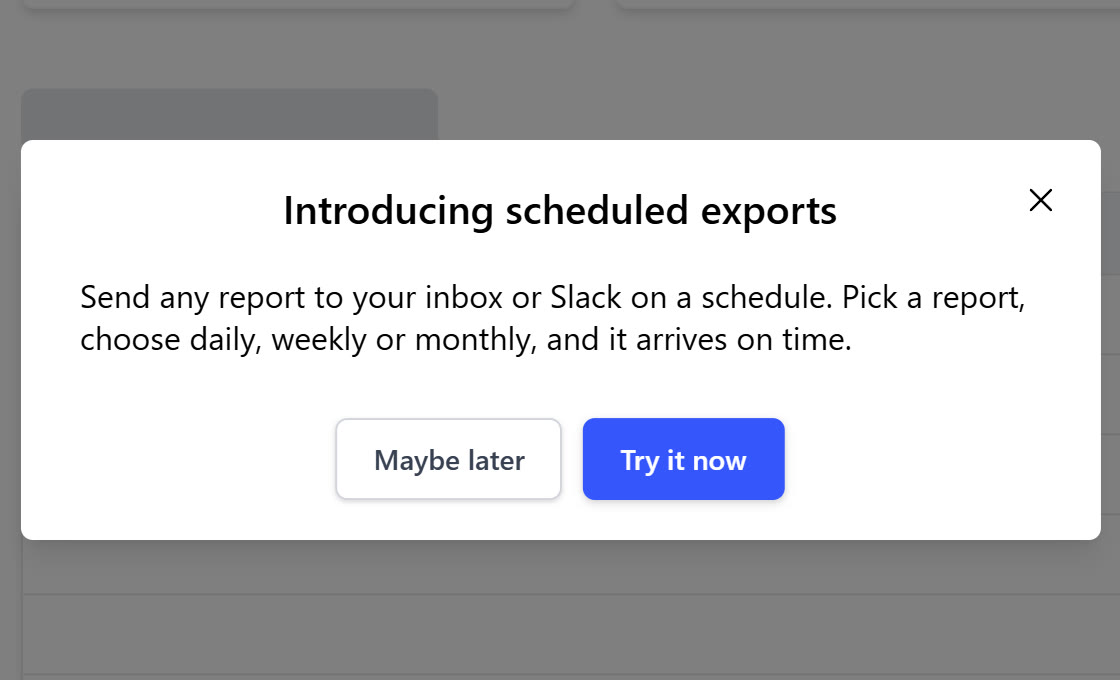
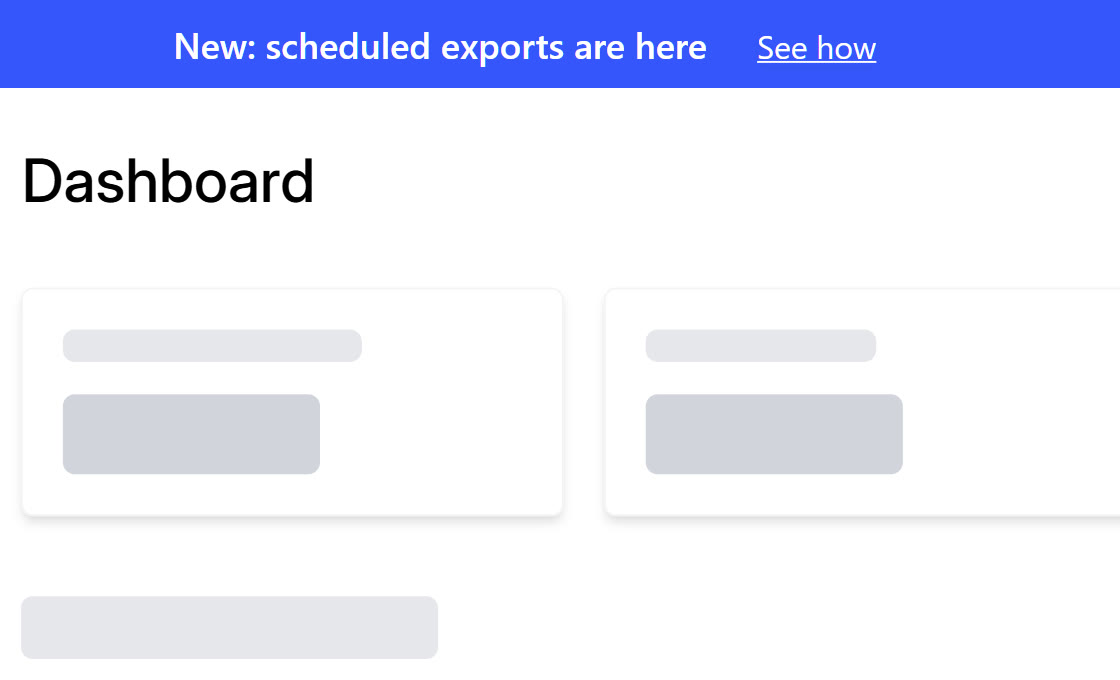
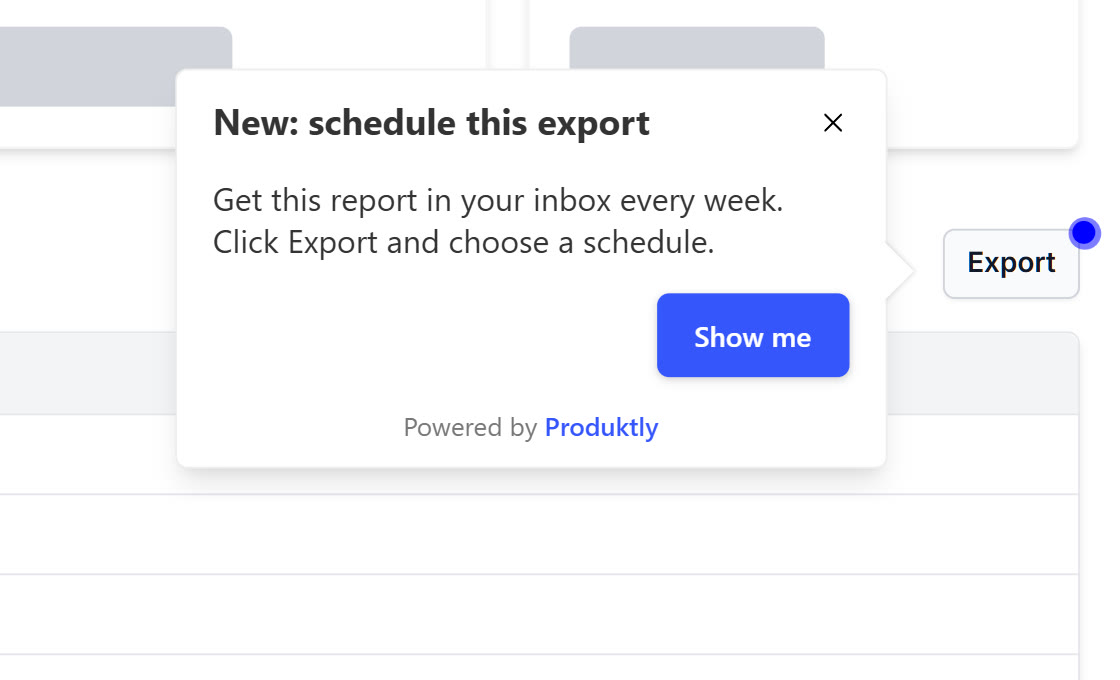
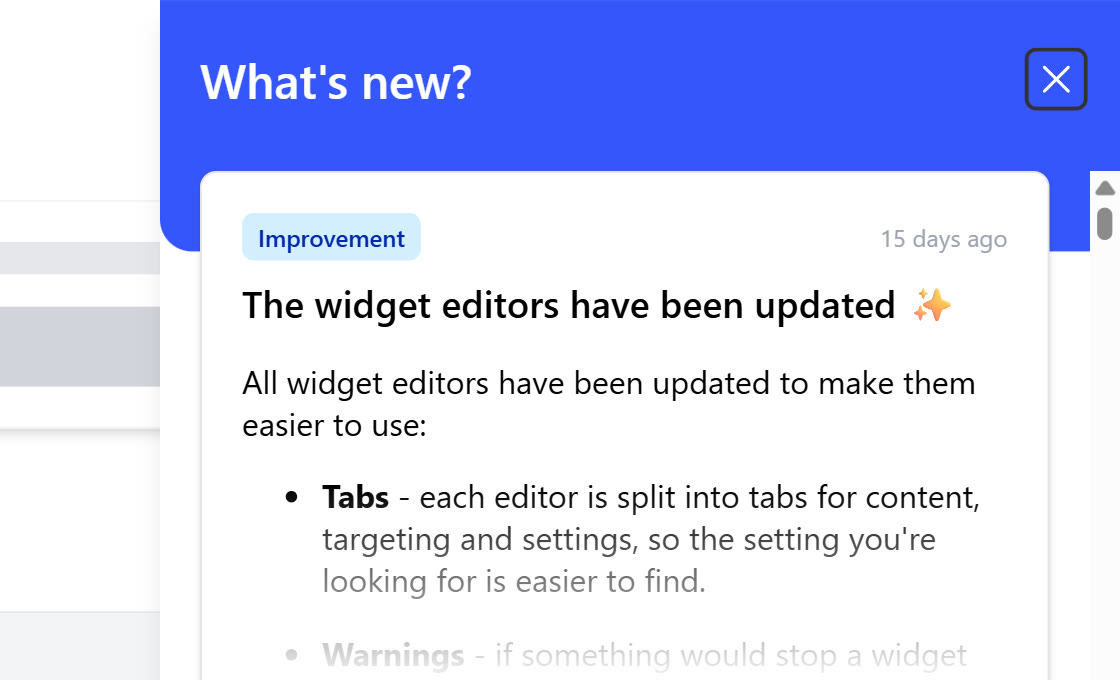
One release in Produktly: popup, top bar and tooltip on our demo app, and the changelog panel with our own changelog.
Pros
- Announcements, tooltips, tours and a changelog in one tool
- Top bar, floating bar, popup and toast formats
- Changelog with an unread badge on your own button
- Sequence messages on whether a user saw or clicked the last one
- Flat price, every feature on every plan
Cons
- No email or push to users
- No A/B testing
- Web only: no native mobile SDK
- The public changelog page lives on your roadmap, without links to single posts
Beamer
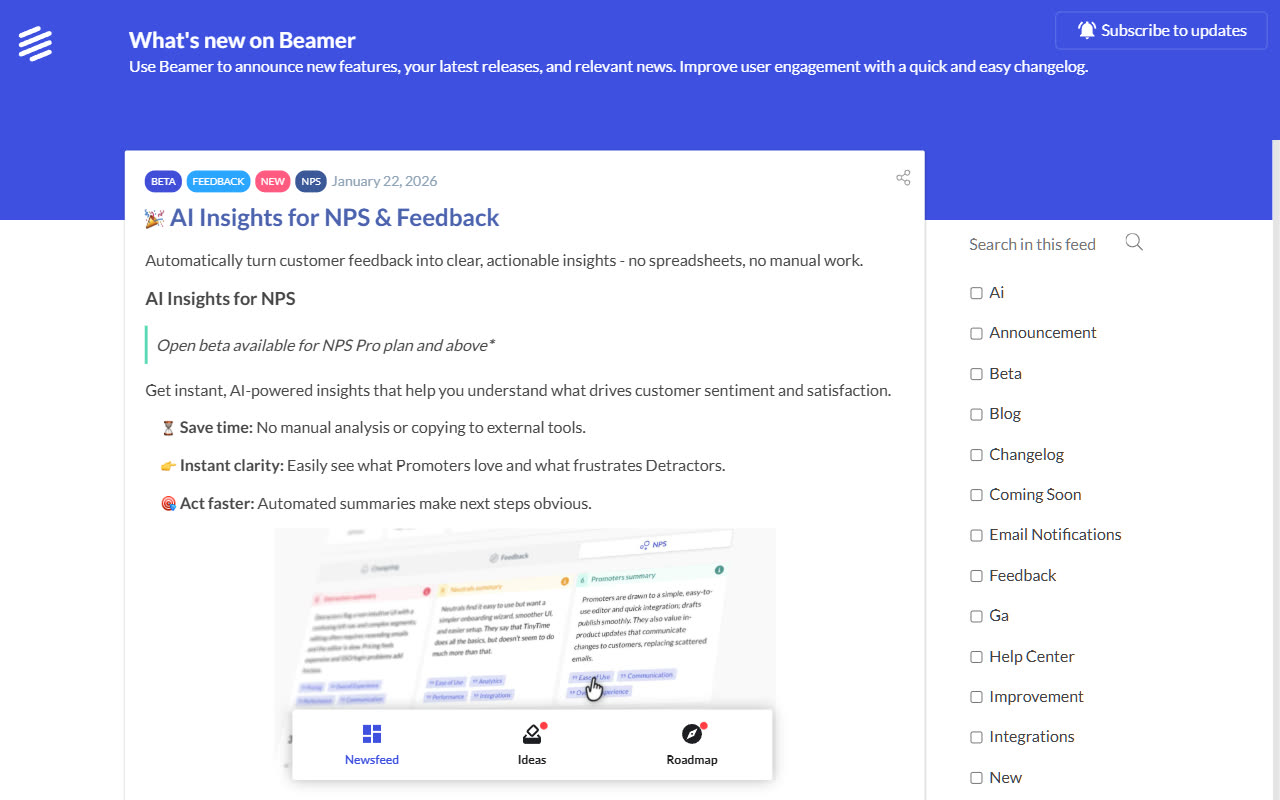
Beamer is a changelog-first announcement tool: an in-app feed plus popups, banners, snippets and tooltips, push notifications and a standalone page. Email, comments and segmentation start on Pro.
Pros
- Many in-app formats around a changelog feed
- Free tier for up to 1,000 monthly active users
- Scheduling and pinned posts from Starter
Cons
- Email, segmentation and custom domain need Pro ($99 to $119/month)
- Priced by monthly active users, with an automatic upgrade past the limit
- Onboarding tours are a separate product (Userflow)
AnnounceKit
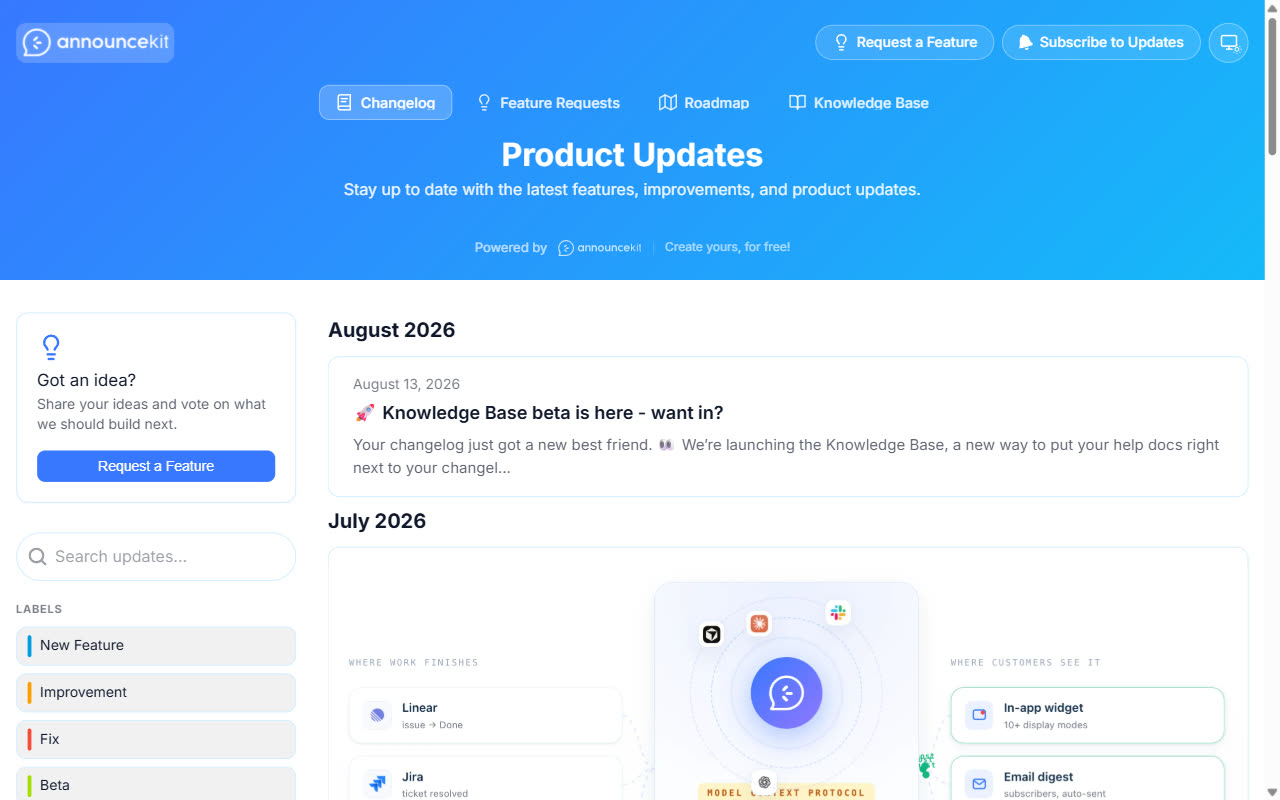
AnnounceKit started as a changelog and now sells modules, including in-app notifications and product tours. The base Changelog product covers scheduled and expiring posts, every widget type, a standalone page, comments and reactions, RSS and Slack.
Pros
- Scheduled and expiring posts on the base plan
- Never priced per seat
- API, webhooks, Zapier and an MCP server included
Cons
- Email, custom domain and segmentation are paid add-ons
- No free tier (15-day trial)
- Priced by monthly active users above 10,000
Userpilot
Userpilot announces features with in-app modals, slideouts, banners, tooltips and hotspots, targeted by segments, and has product analytics to check whether the feature gets used. Growth adds email.
Pros
- Wide range of in-app formats
- Analytics to measure feature adoption after a launch
- Event triggers, A/B tests and email on Growth
Cons
- Starter ($299) has no A/B tests, event triggers or localization
- A changelog feed isn't among its listed formats
- Native mobile is an add-on on Growth
Appcues
Appcues announces features with modals, slideouts, banners and pins on web and native mobile apps, with email and push from the same platform.
Pros
- Web plus native mobile apps
- In-app, email and push together
- Every plan includes every experience type
Cons
- Quote-only pricing
- The trial starts with a sales call
- A changelog feed isn't among its listed formats
Chameleon
Chameleon announces with banners, modals, tooltips and launchers in web apps, with detailed display rules on URLs, elements, clicks and behaviour.
Pros
- Detailed display rules and triggers
- Scheduling and A/B tests on paid tiers
- Launchers as a persistent entry point
Cons
- A big jump from Startup ($279) to Pro ($750/month)
- Web only
- Pro caps live experiences at 20
Userflow
Userflow includes banners and announcements next to flows, checklists and tooltips for web apps, with every core experience on every plan.
Pros
- Banners and announcements on every plan
- Unlimited seats
- Event triggers and A/B testing
Cons
- Only 1,000 MAU included
- Web only
- No email or push
Frill
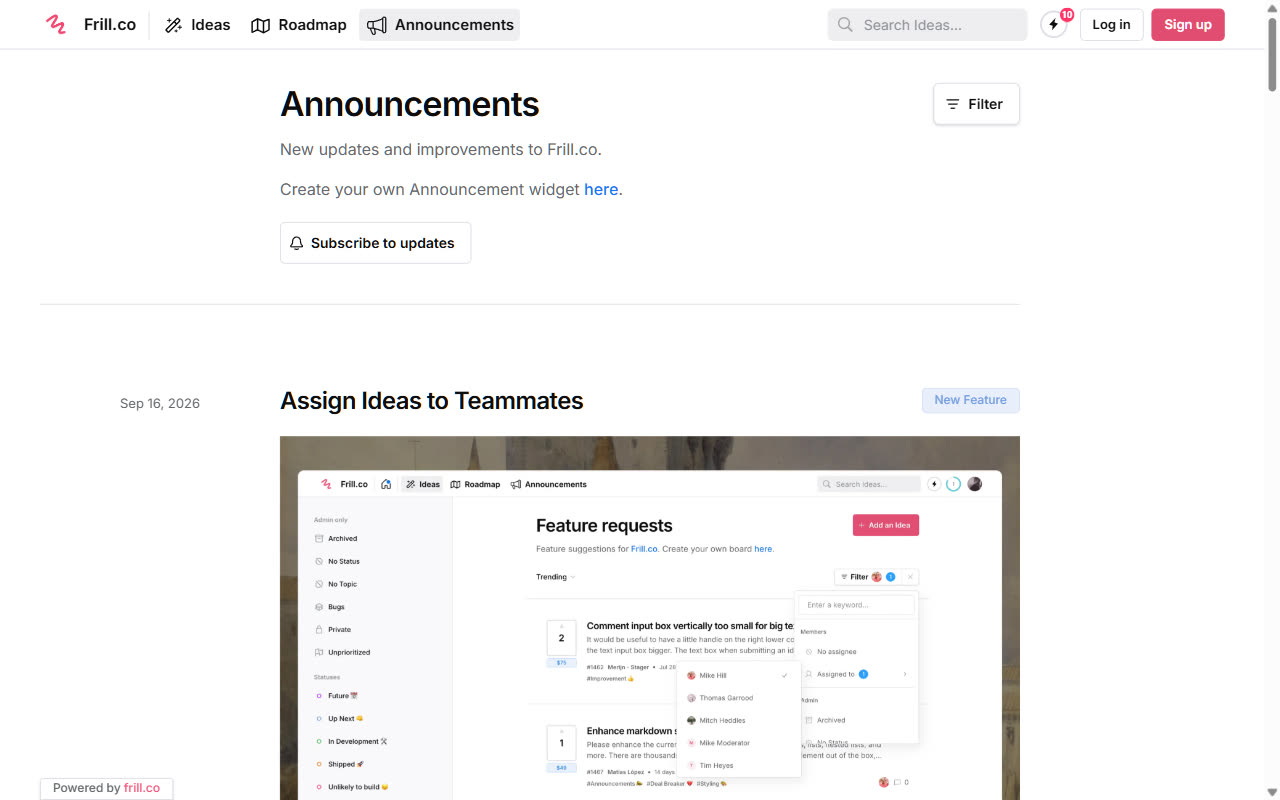
Frill combines announcements with feedback and a roadmap. Its announcement widget works as a popover, modal, sidebar or inline feed, with a hosted page, subscriber emails, segments and scheduling on every plan.
Pros
- Email, segments and scheduling on the $25 plan
- Flat price with unlimited tracked users
- Feedback and roadmap in the same tool
Cons
- No free tier (14-day trial)
- The cheapest plan caps active ideas at 50
- White-label is a separate add-on with no listed price
Featurebase
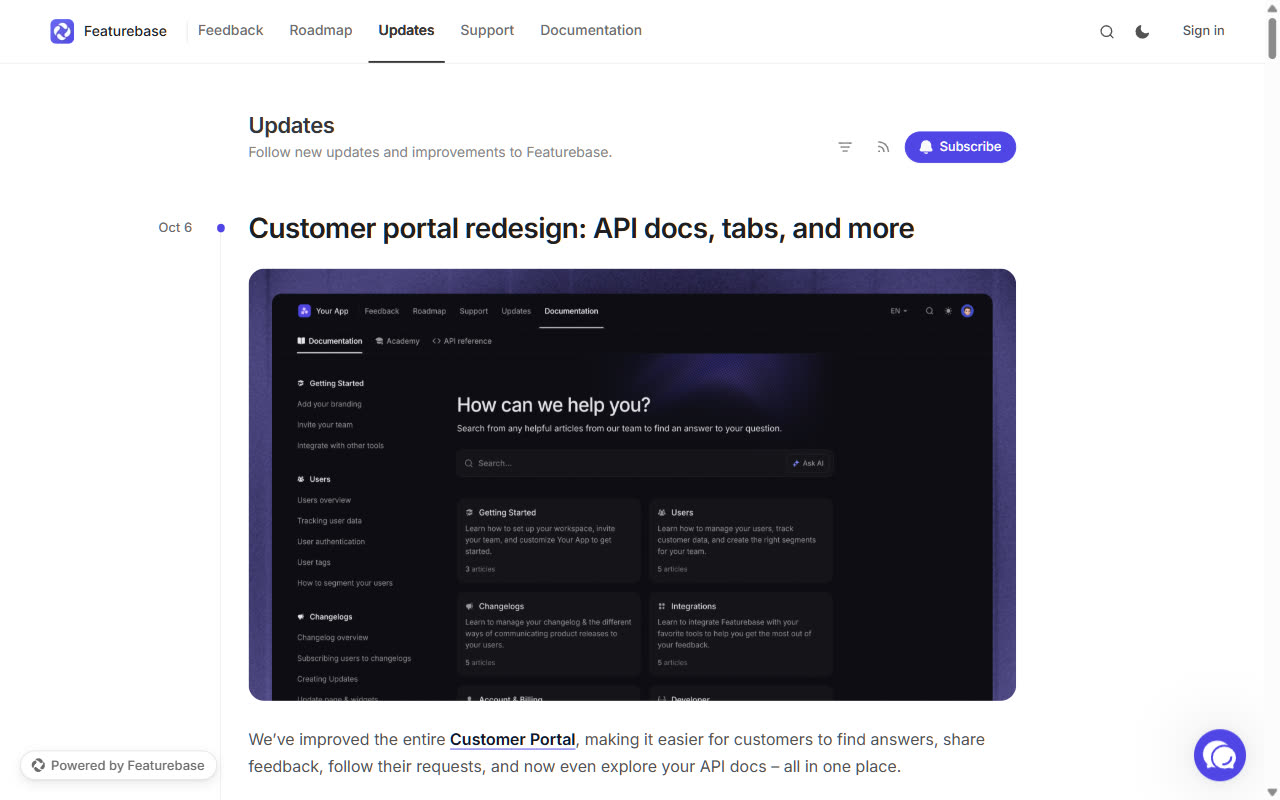
Featurebase sends updates in-app and by email, with segments and scheduling, alongside feedback, a roadmap, a helpdesk and an AI support agent.
Pros
- In-app and email updates with segments
- AI drafts from Jira and Linear
- Helpdesk and AI support agent in the same tool
Cons
- Updates need a paid seat (Growth)
- Priced per seat; only yearly prices are listed
- Usage fees for emails beyond 5,000
LaunchNotes
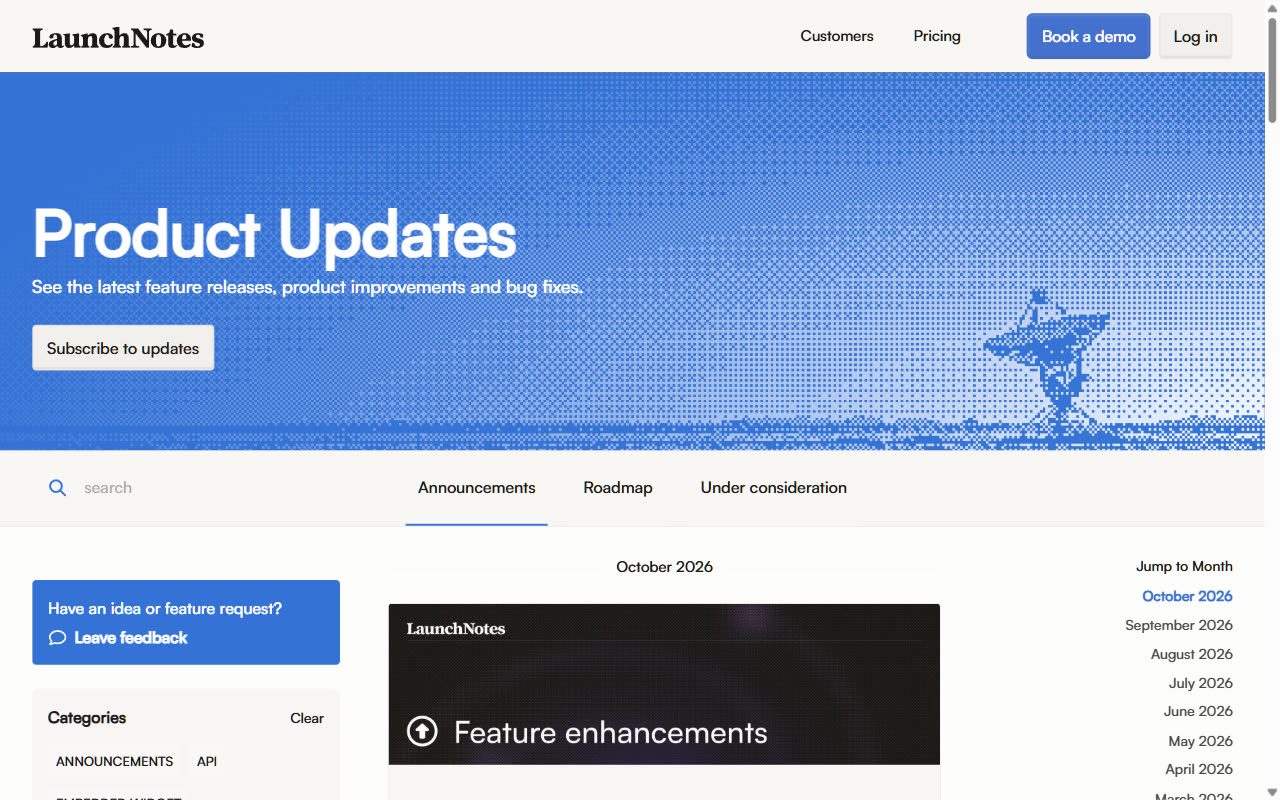
LaunchNotes is release communication for larger product organizations: announcements with subscriptions, email and Slack notifications, a roadmap and feedback.
Pros
- Segmentation, scheduling and subscriptions on Growth
- AI writer for announcements
- Built for many teams publishing updates
Cons
- $249/month minimum, billed yearly, with 2 users
- No self-serve trial
- Jira sync for announcements is Premium only
Headway
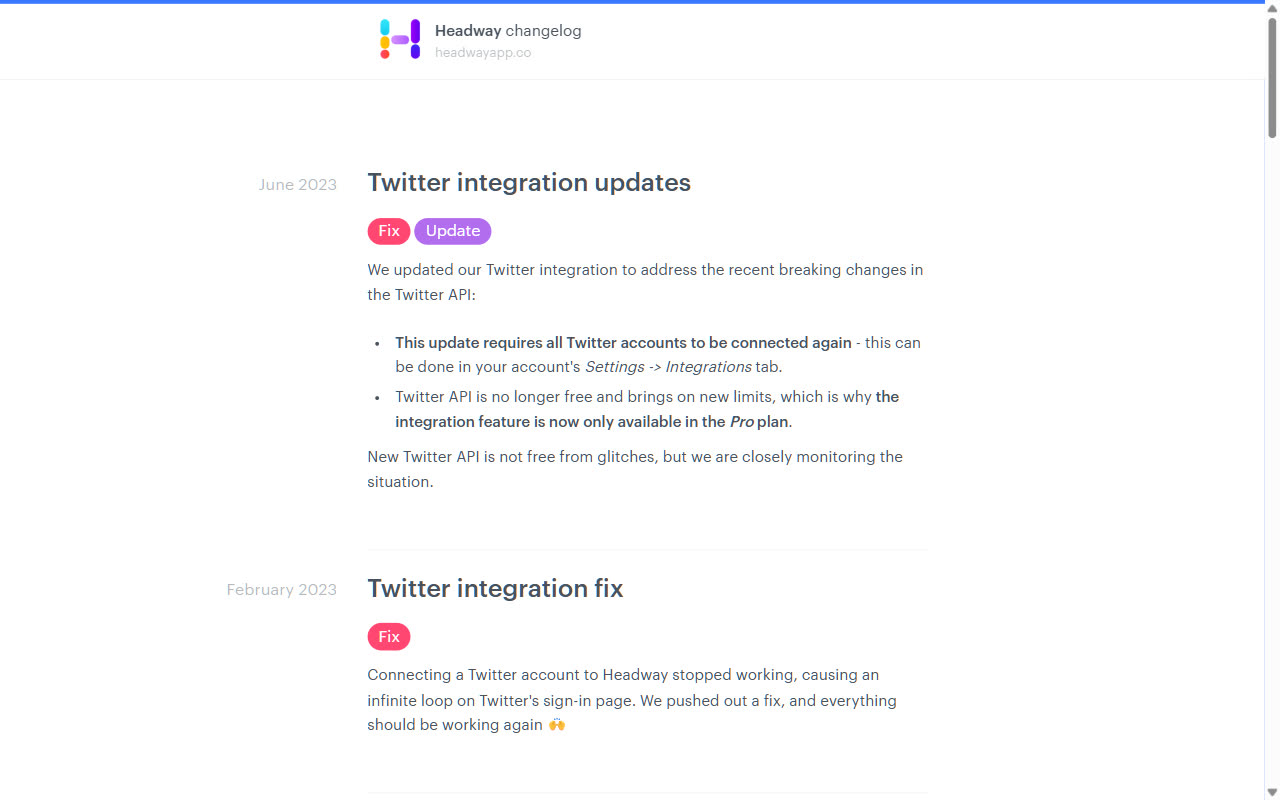
Headway is a simple changelog page and widget with a usable free tier, for small teams that only need a place to post updates.
Pros
- Free tier with a public page and widget
- Simple setup with a markdown editor
- Flat $29/month for Pro
Cons
- Its own changelog hasn't had a new post since June 2023
- No email, segmentation or popups mentioned on its site
- Few integrations (Slack and Twitter)
How we compared
We read each vendor's pricing page, product pages and help docs on October 14, 2026, and noted only what they state. Where a site doesn't say something, we left it out instead of guessing. Screenshots of the changelog-first tools show each vendor's own public changelog, captured the same day. The onboarding tools run inside logged-in products, so there's no public page to capture for them.
We make Produktly, so it's listed first. Its cons are written the same way as everyone else's, and the table at the top says where another tool fits better.
Frequently Asked Questions
How should I announce a new feature?
Use three things. A push on launch day for the users the feature matters to (a popup, banner or email), a changelog entry that is still there when other users come back, and a tooltip or short tour on the feature itself. Target the push: an announcement shown to users who can't use the feature teaches them to ignore the next one.
Which feature announcement tools also send email?
Frill (every plan), Featurebase (from Growth), LaunchNotes, Appcues and Userpilot (Growth) do, Beamer from Pro, and AnnounceKit as a paid add-on. Produktly doesn't send email, and Headway's site doesn't mention it.
How long do users keep seeing an announcement?
Not long. In Produktly's usage data the median in-app announcement got 43% of its impressions in its first 48 hours. Changelog posts are read more slowly: 54% of their early reads arrive in the first 7 days. Announce the launch, and let the changelog carry it afterwards.
Do I need separate tools for announcements and a changelog?
No. Beamer, AnnounceKit, Frill, Featurebase and Produktly cover both. The onboarding tools (Userpilot, Appcues, Chameleon, Userflow) focus on popups, tooltips and tours, so teams using them often add a separate changelog.
Which announcement tool suits a SaaS company of 50 to 500 people?
If several teams publish updates and you need email and segments, look at Beamer Pro, AnnounceKit with its add-ons, or LaunchNotes. If you also want to measure adoption, look at Userpilot. If you want announcements, tooltips, tours and a changelog in one tool at a flat price, look at Produktly.
How do I know if a feature announcement worked?
Views and clicks only tell you the announcement was seen. Whether it worked shows in feature usage: compare how many people use the feature in the weeks after launch with the users who saw the announcement. Userpilot and Pendo pair announcements with product analytics; Produktly reports shown, clicked and closed for each announcement.
Try Produktly
Product tours, checklists, announcements, feedback, roadmaps and changelogs in one tool, from €19/month. Every feature on every plan, 14-day trial.
Start free trial