Tool Tips Software for the Accounting & Tax Industry
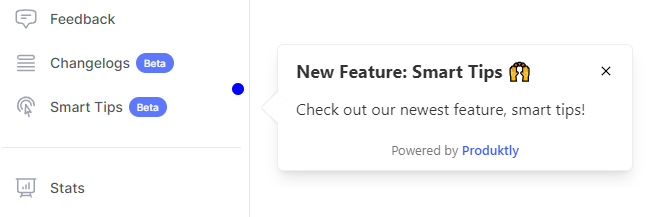
Use interactive tooltips to explain complex UI elements and features to your users. Tailored for accounting & tax companies to address industry-specific challenges.
Challenges in Accounting & Tax
Accounting platforms manage bookkeeping, tax preparation, audit workflows, and financial reporting. Users range from small business owners with no accounting background to CPAs managing hundreds of clients, each needing different levels of guidance.
Small business owners make costly bookkeeping errors due to unfamiliarity with accounting concepts
Tax season creates massive onboarding demand as seasonal preparers need rapid platform proficiency
Audit management tools are underutilized because auditors find them harder than spreadsheets
Accounting software updates during busy season confuse users when workflows change
How Produktly Tool Tips Helps Accounting & Tax
Identify and fix points of confusion by providing clear, concise information right where users need it.
Contextual Help
- Provide information exactly when and where the user needs it.
Fully Customizable
- Match your tooltips perfectly to your application branding.
No-Code Setup
- Create and deploy tooltips without touching any code.

Use Cases for Accounting & Tax
Small business bookkeeping onboarding
Guide business owners through connecting bank accounts, categorizing transactions, and running basic financial reports. Use plain language instead of accounting jargon to help non-accountants maintain accurate books without hiring a bookkeeper.
Tax season preparer ramp-up
Onboard seasonal tax preparers to the firm's tax software with workflow-specific tours covering data entry, review procedures, and e-filing steps. Get preparers productive within hours instead of days during the time-pressured tax season.
Audit workflow digitization
Walk auditors through digital audit programs, workpaper management, and review sign-off procedures. Reduce the temptation to revert to spreadsheets by making the digital workflow faster and more intuitive than manual alternatives.
Key Metrics to Track
Transaction categorization accuracy
Tax return preparation time
Audit workflow completion rate
Seasonal preparer time-to-proficiency
Frequently Asked Questions
How do accounting platforms help non-accountant business owners?
Product tours that translate accounting concepts into business language make bookkeeping accessible. Instead of 'categorize this as COGS,' the tour says 'mark this as a cost of the products you sell.' Contextual tooltips explain concepts like accounts receivable and depreciation in plain terms.
What is the best way to onboard seasonal tax preparers?
Create role-specific tours that mirror the actual workflow: client intake, document collection, data entry, review, and e-filing. Seasonal staff need to learn by doing, not by watching. Include firm-specific procedures alongside software training so preparers understand both the tool and the process.
How do you handle accounting software updates without disrupting users?
Deploy targeted change announcements that explain what moved and why, paired with updated workflow tours. Time these communications carefully during non-peak periods. For critical updates during tax season, use non-disruptive tooltips that highlight changes without interrupting active work.
Other Features for Accounting & Tax
Product Tours
Product Tours for Accounting & Tax
Announcements
Announcements for Accounting & Tax
Checklists
Checklists for Accounting & Tax
Feedback Widgets
Feedback Widgets for Accounting & Tax
Smart Tips
Smart Tips for Accounting & Tax
Roadmaps
Roadmaps for Accounting & Tax
NPS Widgets
NPS Widgets for Accounting & Tax
Micro Surveys
Micro Surveys for Accounting & Tax
Changelogs
Changelogs for Accounting & Tax
Tool Tips for Other Industries
Healthcare
Tool Tips for Healthcare
Fintech
Tool Tips for Fintech
EdTech
Tool Tips for EdTech
E-commerce & Retail
Tool Tips for E-commerce & Retail
Real Estate & PropTech
Tool Tips for Real Estate & PropTech
Legal Tech
Tool Tips for Legal Tech
HR Tech
Tool Tips for HR Tech
Insurance & InsurTech
Tool Tips for Insurance & InsurTech