Best Product Tours Software for Shopify
Join 2,200+ companies using Produktly to create exceptional product tours that simplify learning curves and increase feature adoption on Shopify.




Why Produktly Product Tours is Perfect for Shopify
Boost conversion rates and reduce support for your Shopify store or app. Guide customers through checkout or help app users get set up.
Supercharge Your Shopify Experience
Create engaging product tours that drive adoption and retention. Guide your users through even the trickiest parts of your product.
Interactive Tours
- Highlight functionality and advance tours based on click or hover events.
No-Code Editor
- Build all your tours without writing a single line of code.
Detailed Analytics
- Understand how your tours are performing with deep insights.

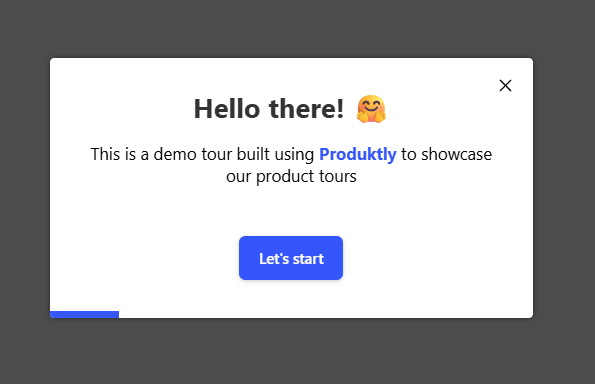
Simple Integration with Shopify
Getting started with Produktly product tours on your Shopify project is quick and easy.
How to integrate:
- 1
Get your Produktly integration script.
- 2
In Shopify, go to Online Store > Themes > Edit Code.
- 3
Paste the script into the theme.liquid file before the closing </head> tag.
- 4
Use the visual editor on your store to build custom tours for shoppers.


Shopify and in-app guidance
Shopify storefronts are built on Liquid templates that render to HTML. Most theme navigation is full-page (each PDP and PLP is its own URL), but Shopify’s checkout is locked down and most themes hydrate cart drawers and product variants on the client. Anything targeting cart UI needs to listen for fetch events fired by the theme, not just rely on the initial page paint.
Shopify also has Theme Sections and Apps, which inject HTML at runtime. Tour targets inside an App block can move when the merchant rearranges sections in the theme editor.
Installing Produktly on Shopify
Edit theme.liquid in Online Store > Themes > Edit Code and add the snippet just before </head>.
<!-- theme.liquid > head section -->
<script>
  (function (w, d, f) {
    var a = d.getElementsByTagName("head")[0];
    var s = d.createElement("script");
    s.async = 1; s.src = f;
    s.setAttribute("id", "produktlyScript");
    s.dataset.clientToken = "YOUR_TOKEN";
    a.appendChild(s);
  })(window, document, "https://public.produktly.com/js/main.js");
</script>
</head>
The snippet won’t run on Shopify Checkout pages (those are locked). Tours work on Product, Collection, Cart, and any storefront page where you control the theme.
Things to watch out for on Shopify
Shopify Checkout is off-limits
Shopify locks the Checkout flow. Custom <script> tags do not run there. Plan tours to fire before checkout, on Cart or PDP.
Cart drawers re-render on every add-to-cart
Most themes re-fetch the cart drawer HTML when a product is added. Use stable data-* attributes on cart elements so tour targets survive the swap.
Theme updates overwrite theme.liquid
If you update or change theme versions, your custom code may be wiped. Copy the snippet into a code change log so re-adding takes 30 seconds.
Why teams on Shopify pick Produktly
Shopify teams pick Produktly because there is no Shopify App to install, just a snippet in theme.liquid that works across every page of the storefront. The no-code editor lets merchandising teams ship tours and announcements without touching Liquid again, and feedback widgets can route order issues straight into Slack.
Other Shopify Guides
Announcements
Announcements software for Shopify.
Checklists
Checklists software for Shopify.
Feedback Widgets
Feedback Widgets software for Shopify.
Smart Tips
Smart Tips software for Shopify.
Tool Tips
Tool Tips software for Shopify.
Roadmaps
Roadmaps software for Shopify.
NPS Widgets
NPS Widgets software for Shopify.
Micro Surveys
Micro Surveys software for Shopify.
Changelogs
Changelogs software for Shopify.