Tool Tips for Customer Support Teams
Customer Support and Help Desk teams handle the front line of user questions, troubleshooting, and issue resolution. They deal with a high volume of repetitive how-do-I questions that could be deflected with better in-app guidance. Digital adoption tools help them reduce ticket volume, provide proactive help, and create self-service resources that scale support capacity without growing headcount.
Challenges Customer Support Teams Face
High volume of repetitive tickets asking how to complete basic tasks that are already documented
Users cannot find help content when they need it because it lives outside the product in a knowledge base
Support teams are reactive by nature and have no way to proactively prevent user confusion
Explaining multi-step workflows over chat or email is slow and error-prone compared to visual guidance
Goals Produktly Helps Achieve
Deflect repetitive how-to tickets by providing self-service guidance directly in the product
Reduce first-response time by embedding answers at the point of confusion
Proactively address known friction points before users need to reach out
Create visual, step-by-step resources that are easier to follow than text-based help articles
How Tool Tips Empowers Customer Support Teams
Deflect common tickets with in-app guidance
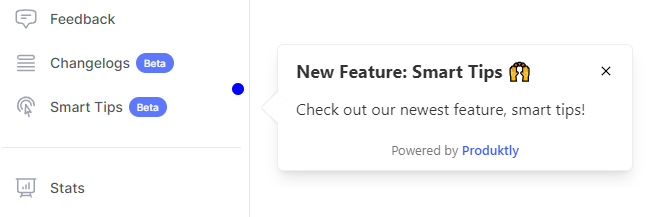
- Attach tooltips and smart tips to frequently confused UI elements so users get instant answers without opening a support ticket.
Replace text instructions with interactive walkthroughs
- Instead of writing five-paragraph email replies, link users to a product tour that walks them through the exact steps visually inside the app.
Proactively prevent confusion at known friction points
- Place guidance on screens and workflows that generate the most support tickets, resolving the issue before users even realize they are stuck.
Collect feedback to identify systemic issues
- Use feedback widgets on problematic pages to quantify user confusion and build a case for UX improvements with the product team.
Keep users informed about known issues and fixes
- Push announcements about outages, bugs, or workarounds to affected users so they do not flood the queue with duplicate tickets.

A Day with Produktly as a Customer Support Specialist
A Support Specialist notices the same question about exporting data has come in eight times this week. They spend 15 minutes building a tooltip on the export button and a short three-step product tour for the full export workflow. After publishing, they add the tour link to their saved replies. Over the following week, tickets about exporting drop by half. Meanwhile, a feedback widget on the integrations page surfaces a new source of confusion they escalate to the product team.
Frequently Asked Questions
How much can in-app guidance actually reduce support ticket volume?
The impact depends on your ticket mix, but teams commonly see 20-40% reductions in how-to tickets after deploying contextual tooltips and tours on high-traffic screens. The key is targeting guidance at the specific workflows that generate the most repetitive questions.
Can support agents create tours without technical skills?
Yes. The visual builder and Chrome extension are designed for non-technical users. A support agent can select elements on the live product, add instructional text, and publish a tour in minutes without writing code or involving a developer.
How do I know which pages need in-app guidance the most?
Start by analyzing your ticket data to identify the most common how-to questions and which product areas they relate to. Then use feedback widgets on those pages to collect additional context. Produktly's analytics also show where users drop off in tours, highlighting areas that need clearer guidance.
Start Using Tool Tips Today
Join thousands of customer support teams who use Produktly to drive better outcomes.
Start free trialOther Features for Customer Support Teams
Product Tours
Product Tours for Customer Support Teams
Announcements
Announcements for Customer Support Teams
Checklists
Checklists for Customer Support Teams
Feedback Widgets
Feedback Widgets for Customer Support Teams
Smart Tips
Smart Tips for Customer Support Teams
Roadmaps
Roadmaps for Customer Support Teams
NPS Widgets
NPS Widgets for Customer Support Teams
Micro Surveys
Micro Surveys for Customer Support Teams
Changelogs
Changelogs for Customer Support Teams
Tool Tips for Other Roles
Product Managers
Tool Tips for Product Managers
Customer Success Managers
Tool Tips for Customer Success Managers
UX Designers
Tool Tips for UX Designers
Growth Managers
Tool Tips for Growth Managers
Engineering Teams
Tool Tips for Engineering Teams
Founders & CEOs
Tool Tips for Founders & CEOs
Sales Teams
Tool Tips for Sales Teams
Onboarding Specialists
Tool Tips for Onboarding Specialists