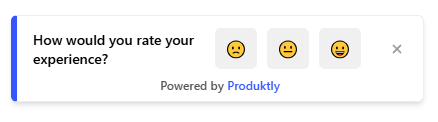
Micro Surveys for Workflow Automation Training
Teach users how to build and manage automated workflows, from simple triggers to complex multi-step automations. Help non-technical users harness the power of automation without feeling overwhelmed by its complexity.
The Challenge
Automation features are among the most powerful in any product but also the least adopted. Users see the potential but feel intimidated by workflow builders, conditional logic, and trigger configurations. Most stick to manual processes because automation feels too complicated.
The Transformation
Before
The automation builder sits unused by most customers. Users know it exists but find the interface intimidating. They continue performing repetitive tasks manually, wasting hours each week.
After
Users build their first automation through a guided tutorial, experience the time savings immediately, and progressively create more sophisticated workflows. Automation adoption grows as users realize it's accessible, not just for power users.
How to Implement Micro Surveys for Workflow Automation Training
Start with template-based automation
Introduce automation through pre-built templates that users can activate with a few clicks, demonstrating value before requiring any configuration.
Build progressive complexity into training
Start with single-step automations, then guide users to add conditions, branches, and multi-step workflows as they build confidence.
Provide interactive automation builder tutorials
Walk users through building their first automation step-by-step inside the actual builder, with tooltips explaining each component.
Show real-time previews and test results
Let users see exactly what their automation will do before activating it, reducing the fear of unintended consequences.
Surface automation opportunities contextually
When users perform repetitive manual actions, suggest automations that could handle the same task, making the value immediately tangible.

Key Metrics to Measure
Automation creation rate (% of users who create at least one)
Average number of automations per user
Manual task reduction after automation adoption
Automation error rate
Frequently Asked Questions
How do I make automation accessible to non-technical users?
Start with templates and guided builders rather than blank canvases. Use plain language instead of technical jargon, and provide step-by-step walkthroughs that hold the user's hand through their first few automations.
What if users create automations that don't work correctly?
Include test and preview capabilities in your guided training so users can validate automations before activating them. Contextual tips during the build process can prevent common configuration mistakes.
How do I encourage users to build more complex automations over time?
After users successfully create simple automations, surface suggestions for enhancements they could add. Gradually introduce advanced concepts like conditional logic and error handling through contextual education.
Other Features for Workflow Automation Training
Product Tours
Product Tours for Workflow Automation Training
Announcements
Announcements for Workflow Automation Training
Checklists
Checklists for Workflow Automation Training
Feedback Widgets
Feedback Widgets for Workflow Automation Training
Smart Tips
Smart Tips for Workflow Automation Training
Tool Tips
Tool Tips for Workflow Automation Training
Roadmaps
Roadmaps for Workflow Automation Training
NPS Widgets
NPS Widgets for Workflow Automation Training
Changelogs
Changelogs for Workflow Automation Training
Micro Surveys for Other Use Cases
Employee Training
Micro Surveys for Employee Training
Trial-to-Paid Conversion
Micro Surveys for Trial-to-Paid Conversion
Feature Adoption
Micro Surveys for Feature Adoption
Customer Onboarding
Micro Surveys for Customer Onboarding
Self-Service Support
Micro Surveys for Self-Service Support
Change Management
Micro Surveys for Change Management
Compliance Training
Micro Surveys for Compliance Training
User Activation
Micro Surveys for User Activation