Tool Tips for Change Management
Smooth the transition when your product undergoes significant UI changes, workflow updates, or platform migrations. Prepare users for what's different, guide them through new processes, and minimize disruption and confusion.
The Challenge
When products change, users get frustrated and disoriented. Redesigned interfaces, moved navigation elements, and altered workflows lead to a spike in support tickets, negative feedback, and sometimes churn as users struggle to relearn their daily tools.
The Transformation
Before
A major UI update launches and users are immediately confused. Support tickets spike, social media fills with complaints, and some users start evaluating competitors because they feel the product no longer works for them.
After
Users are informed about changes in advance, guided through new workflows on first encounter, and transition smoothly. Support volume stays manageable and user satisfaction remains stable through the update.
How to Implement Tool Tips for Change Management
Communicate changes before they happen
Use in-app announcements to inform users about upcoming changes, explaining what will be different and why the change benefits them.
Provide before-and-after orientation
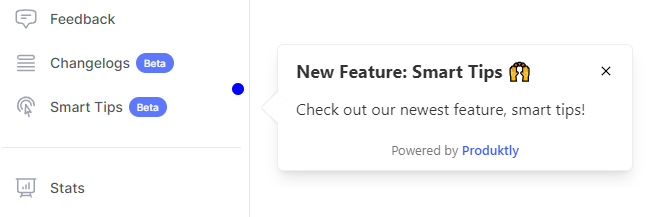
When changes go live, show users exactly where their familiar features have moved and how workflows have been updated.
Build guided tours for redesigned flows
Walk users through new interfaces step-by-step so they can rebuild muscle memory without fumbling through unfamiliar screens.
Offer opt-in exploration at the user's pace
Let users choose when to take the guided tour of changes rather than forcing it immediately, respecting those who prefer to explore independently.
Monitor adoption of new workflows
Track whether users successfully transition to the new experience or fall back to old patterns, and provide additional guidance where needed.

Key Metrics to Measure
Support ticket volume during transition period
Adoption rate of new workflows
User sentiment and satisfaction scores post-change
Time for users to return to pre-change productivity levels
Frequently Asked Questions
How far in advance should I notify users about changes?
For major changes, give users at least 1-2 weeks of advance notice through in-app announcements. For smaller updates, a brief announcement on the day of launch is usually sufficient. The key is matching the notice period to the impact of the change.
Should I force all users through a change management tour?
No. Offer the guided tour prominently but let users dismiss it if they prefer to explore on their own. You can make the tour available on-demand for users who want to come back to it later.
How do I handle users who are resistant to change?
Focus your messaging on the benefits of the change from the user's perspective. Provide ample guidance so the transition feels effortless, and keep help resources accessible for weeks after the change to support late adopters.
Other Features for Change Management
Product Tours
Product Tours for Change Management
Announcements
Announcements for Change Management
Checklists
Checklists for Change Management
Feedback Widgets
Feedback Widgets for Change Management
Smart Tips
Smart Tips for Change Management
Roadmaps
Roadmaps for Change Management
NPS Widgets
NPS Widgets for Change Management
Micro Surveys
Micro Surveys for Change Management
Changelogs
Changelogs for Change Management
Tool Tips for Other Use Cases
Employee Training
Tool Tips for Employee Training
Trial-to-Paid Conversion
Tool Tips for Trial-to-Paid Conversion
Feature Adoption
Tool Tips for Feature Adoption
Customer Onboarding
Tool Tips for Customer Onboarding
Self-Service Support
Tool Tips for Self-Service Support
Compliance Training
Tool Tips for Compliance Training
User Activation
Tool Tips for User Activation
Upselling & Cross-selling
Tool Tips for Upselling & Cross-selling