Best Product Tours Software for Bubble
Join 2,200+ companies using Produktly to create exceptional product tours that simplify learning curves and increase feature adoption on Bubble.



Why Produktly Product Tours is Perfect for Bubble
Onboarding for Bubble no-code apps. Help your users navigate complex workflows in your Bubble applications.
Supercharge Your Bubble Experience
Create engaging product tours that drive adoption and retention. Guide your users through even the trickiest parts of your product.
Interactive Tours
- Highlight functionality and advance tours based on click or hover events.
No-Code Editor
- Build all your tours without writing a single line of code.
Detailed Analytics
- Understand how your tours are performing with deep insights.

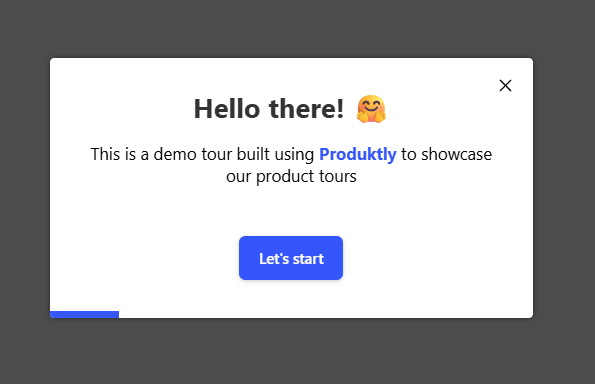
Simple Integration with Bubble
Getting started with Produktly product tours on your Bubble project is quick and easy.
How to integrate:
- 1
Get your Produktly script code from the dashboard.
- 2
In Bubble, go to Settings > SEO / Metatags.
- 3
Paste the script into the "Script in the header" section.
- 4
Use our visual editor to create tours for your Bubble app.


Bubble and in-app guidance
Bubble is a single-page app under the hood, even though the editor feels like a multi-page site builder. Page changes inside a Bubble app happen via JavaScript, not full reloads, which has real implications for any tour that needs to follow users between pages.
Bubble auto-generates element IDs and classes. The reliable way to target a specific element is via the "ID Attribute" setting on each element, which writes a real id="..." into the rendered HTML.
Installing Produktly on Bubble
Paste the snippet into Settings > SEO/metatags > "Script in the header" so it loads on every page of your Bubble app.
<!-- Bubble > Settings > SEO/metatags > Script in the header -->
<script>
  (function (w, d, f) {
    var a = d.getElementsByTagName("head")[0];
    var s = d.createElement("script");
    s.async = 1; s.src = f;
    s.setAttribute("id", "produktlyScript");
    s.dataset.clientToken = "YOUR_TOKEN";
    a.appendChild(s);
  })(window, document, "https://public.produktly.com/js/main.js");
</script>
In Bubble’s Settings > General, make sure "Expose the option to add an ID attribute" is checked, so you can name elements for stable selectors.
Things to watch out for on Bubble
Auto-generated IDs change between deploys
Without manually-set ID attributes, every Bubble element gets a random ID that may shift. Set custom ID attributes on every tour target.
Page navigation is in-app, not full reload
Bubble apps run on a single page even when the URL changes. Turn on Produktly’s SPA redirect handling so tours can chain steps across "pages".
Development vs Live versions diverge
Code in the Dev version doesn’t carry to Live until you deploy. After pasting the snippet, deploy to Live or you’ll see no tours on your production domain.
Why teams on Bubble pick Produktly
Bubble teams pick Produktly because there is no plugin to maintain, just a script tag in Settings. SPA redirect handling fits Bubble’s in-app navigation, and the visual editor pairs naturally with a no-code app builder, so PMs can build tours without involving the Bubble developer.
Other Bubble Guides
Announcements
Announcements software for Bubble.
Checklists
Checklists software for Bubble.
Feedback Widgets
Feedback Widgets software for Bubble.
Smart Tips
Smart Tips software for Bubble.
Tool Tips
Tool Tips software for Bubble.
Roadmaps
Roadmaps software for Bubble.
NPS Widgets
NPS Widgets software for Bubble.
Micro Surveys
Micro Surveys software for Bubble.
Changelogs
Changelogs software for Bubble.
Similar Platforms for Product Tours
Adalo
Best product tours software for your Adalo app.
Outseta
Best product tours software for your Outseta app.
Softr
Best product tours software for your Softr app.
Glide
Best product tours software for your Glide app.
Retool
Best product tours software for your Retool app.
AppSheet
Best product tours software for your AppSheet app.
Stacker
Best product tours software for your Stacker app.
Appsmith
Best product tours software for your Appsmith app.