Best Micro Surveys Software for WordPress
Join 2,200+ companies using Produktly to create exceptional micro surveys that gather quick user feedback to validate your product decisions on WordPress.




Why Produktly Micro Surveys is Perfect for WordPress
The easiest way to add onboarding to WordPress. Guide users through your custom dashboard or front-end features.
Supercharge Your WordPress Experience
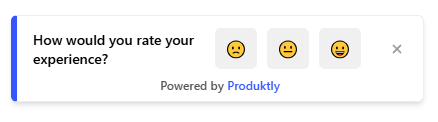
Gather contextual feedback that helps you understand your users and improve your product features.
Triggered Surveys
- Show surveys at the right time based on user behavior.
Real-Time Insights
- View and analyze feedback as soon as it comes in.
Increased Retention
- Fix user frustrations before they lead to churn.

Simple Integration with WordPress
Getting started with Produktly micro surveys on your WordPress project is quick and easy.
How to integrate:
- 1
Copy your Produktly snippet code.
- 2
Use a plugin like "Insert Headers and Footers" or edit your theme header.php.
- 3
Paste the snippet into the header section.
- 4
Start building tutorials for your WordPress users immediately.


WordPress and in-app guidance
WordPress can be a classic theme-based site, a Gutenberg block site, or a fully headless setup with a JS frontend. The snippet placement and tour targeting depend on which. Classic and Gutenberg sites are multi-page with full reloads, so SPA mode isn’t needed. Headless WordPress with a React or Next.js frontend is a different integration entirely (treat it as React or Next.js, not WordPress).
Theme files are overwritten on theme updates. Putting custom code in theme files works but is fragile. A plugin like "Insert Headers and Footers" or "WPCode" keeps the snippet outside the theme so it survives updates.
Installing Produktly on WordPress
Use the "WPCode" or "Insert Headers and Footers" plugin and paste into the header section. This survives theme updates.
<!-- WordPress: WPCode > Header & Footer > Header -->
<script>
  (function (w, d, f) {
    var a = d.getElementsByTagName("head")[0];
    var s = d.createElement("script");
    s.async = 1; s.src = f;
    s.setAttribute("id", "produktlyScript");
    s.dataset.clientToken = "YOUR_TOKEN";
    a.appendChild(s);
  })(window, document, "https://public.produktly.com/js/main.js");
</script>
If you must edit theme files directly, place this just before </head> in header.php. Use a child theme so a parent-theme update doesn’t wipe your changes.
Things to watch out for on WordPress
Theme updates wipe theme.php changes
Custom code added directly to header.php disappears when you update the theme. Use a child theme or a header/footer plugin so the snippet persists.
Caching plugins can delay updates
WP Rocket, W3 Total Cache, and similar plugins serve old HTML. After adding the snippet, clear cache and verify in an incognito window.
WP Admin and frontend are different DOMs
Tours added to the public site won’t appear in wp-admin and vice versa. Decide which audience the tour is for and load the snippet on the matching surface (wp_head hook for frontend, admin_head hook for admin).
Why teams on WordPress pick Produktly
WordPress teams pick Produktly because the snippet works on any theme without a plugin lock-in. For headless WordPress, the same script tag drops into the JS frontend (React, Next.js, etc.) without changes. Feedback widgets routing to Slack are especially useful for membership sites where users report issues in real time.
Other WordPress Guides
Product Tours
Product Tours software for WordPress.
Announcements
Announcements software for WordPress.
Checklists
Checklists software for WordPress.
Feedback Widgets
Feedback Widgets software for WordPress.
Smart Tips
Smart Tips software for WordPress.
Tool Tips
Tool Tips software for WordPress.
Roadmaps
Roadmaps software for WordPress.
NPS Widgets
NPS Widgets software for WordPress.
Changelogs
Changelogs software for WordPress.